
A mini-LED TV with HDR10+ or an OLED TV with Dolby Vision?
OLED vs. mini-LED: OLED normally wins, but can HDR level the playing field??
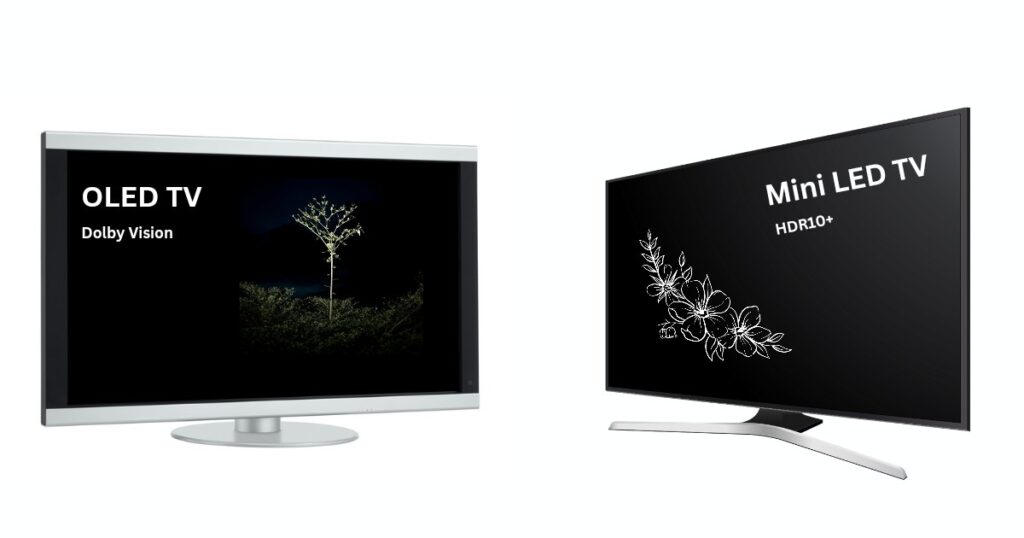
When it comes to making a choice between premium displays, mini-LED and OLED seem to be the two biggest rivals.
Add HDR formats like HDR10+ and Dolby Vision into the mix, and choosing between them can even become more difficult.
While many pit a mini-LED TV with HDR10+ against an OLED TV with Dolby Vision, the reality is a bit more nuanced.
A mini-LED or an OLED TV can support HDR10+, Dolby Vision, or even both, depending on the specific model.
So, what really sets these display technologies apart?
And how much difference do HDR10+ and Dolby Vision actually make to the viewing experience?
Finally, what out of a mini-LED TV with HDR10+ and an OLED with Dolby Vision is the better choice?
Let’s try to find all the answers in this article.
Mini-LED
A mini-LED TV is essentially an LCD TV that uses thousands of tiny LEDs, known as mini-LEDs, to illuminate its backlight.
Because of the large number of these LEDs, a mini-LED TV can achieve exceptionally high brightness levels.
This makes it an excellent choice for bright rooms where glare can otherwise negatively affect the viewing experience.
Since mini-LED is based on LCD technology, it uses either a VA (Vertical Alignment) or an IPS (In-Plane Switching) display panel.
A VA panel offers deeper blacks and higher contrast, while an IPS panel provides wider viewing angles at the expense of contrast.
One of the biggest advantages of a mini-LED TV is that its backlight is divided into hundreds, or even thousands of independently controlled local dimming zones.
These zones are different areas of the screen which can brighten or dim as needed.
This process significantly improves black levels, enhances contrast, and reduces light bleed.
The mini-LED TVs with VA panels (which already come with a good native contrast ratio) are capable of delivering extremely deep blacks and high contrast, bringing them closer to OLED-like picture quality.
Which mini-LED TVs support HDR 10+?
Mini-LED TVs may support HDR10+, Dolby Vision, or both, depending on the brand and specific model.
For instance, Samsung’s mini-LED TVs, marketed under the Neo QLED lineup, support HDR10+ but do not offer Dolby Vision.
In contrast, mini-LED TVs from LG (marketed as QNED) and Sony primarily support Dolby Vision instead of HDR10+.
On the other hand, mini-LED TVs offered by brands such as Hisense (marketed as ULED), TCL, and Panasonic support both HDR10+ and Dolby Vision, enabling users to enjoy content encoded in either HDR format without compromise.
OLED
OLED stands for “Organic Light-Emitting Diode”.
Unlike conventional LED/LCD TVs, OLED displays use self-emissive organic LEDs that are built directly into the display panel.
Each pixel consists of its own organic light-emitting elements, allowing it to switch on and off independently without requiring a separate backlight.
Because individual pixels can turn off completely in dark scenes, OLED TVs produce true blacks and deliver virtually infinite contrast, which results in exceptional picture quality that surpasses conventional LED/LCD displays by far.
However, OLED technology also has a few drawbacks. Since the pixels are made of organic materials, they can gradually degrade over time.
This makes OLED panels susceptible to “burn-in” or permanent image retention.
This problem, though rarely encountered in modern OLEDs, may still happen if static content, such as logos or user interface elements, remains on the screen for prolonged periods.
Furthermore, organic pixels cannot be driven as aggressively as the inorganic LEDs used in mini-LED TVs due to the risk of degradation.
Thus, OLED displays generally achieve lower peak brightness than their mini-LED counterparts, however, modern OLEDs can too hit high peak brightness, just like mini-LED displays.
OLEDs also offer several significant benefits over LCD-based displays.
The absence of a backlight enables extremely fast pixel response times, resulting in smoother motion and reduced blur during fast-paced gaming and action scenes.
OLED panels also provide exceptionally wide viewing angles, maintaining accurate colors and high contrast even when viewed from off-center positions.
Which OLEDs support Dolby Vision?
Like mini-LED TVs, OLED TVs may also support HDR10+, Dolby Vision, or both HDR formats, depending on the manufacturer and specific model.
OLED TVs from Sony and LG exclusively support Dolby Vision and do not include HDR10+ support.
While, Samsung OLED TVs primarily support HDR10+, but not Dolby Vision.
On the other hand, OLED TVs from Panasonic and Hisense support both HDR10+ and Dolby Vision, allowing compatibility with content available in either HDR format.
How do HDR10+/Dolby Vision matter for a mini-LED/OLED TV?
The most important factors for HDR are the TV’s hardware capabilities, primarily its peak brightness and contrast ratio.
Color gamut and type of processor/upscalar come next to them.
These factors matter much more for a TV for a good HDR performance, rather than just the number of HDR formats it supports.
Moreover, besides having an HDR-capable TV, the content source must also be delivering HDR content.
Without having an HDR-compatible source, as well as the content itself encoded in one of the HDR formats, the TV just cannot display in HDR, regardless of its capabilities.
In general, a TV should be capable of reaching at least 1,000 nits of peak brightness to reproduce HDR content faithfully.
OLED TVs can often deliver similarly impressive HDR performance at slightly lower brightness levels.
This is because they can produce true blacks, and thus create high dynamic range at slightly lower peak brightness too.
Beyond Dolby Vision and HDR10+, there’s HDR10
HDR10+ and Dolby Vision are advanced HDR formats that use dynamic metadata, which provides scene-by-scene or frame-by-frame instructions, allowing the TV to optimize brightness, contrast, and shadow detail throughout the content.
As a result, bright highlights appear clear and distinct without being washed out, while dark scenes too retain subtle details.
HDR10 is another HDR format which is supported by almost all HDR-compatible TVs.
It uses static metadata, which sends the TV a set of instructions, such as the content’s maximum and minimum brightness levels just once for the entire movie or TV show.
The TV optimizes its whole picture based on that single instruction, as opposed to the frame by frame optimization done in case of HDR10+ and Dolby Vision.
Both the advanced HDR formats, HDR10+ and Dolby Vision typically use HDR10 as their base format, meaning HDR10 is mostly supported whenever either dynamic format is present.
Do HDR formats actually matter on premium TVs?
On flagship mini-LED and OLED TVs, the difference between viewing HDR10+ and Dolby Vision content is minimal.
In essence, premium OLED TVs such as Samsung’s QD-OLEDs, LG’s MLA WOLEDs, and Sony’s QD-OLEDs offer exceptional brightness and virtually infinite contrast.
Likewise, high-end mini-LED TVs, such as some of the best Samsung Neo QLED models, Sony mini-LED TVs, and select LG QNED TVs with VA panels, combine excellent peak brightness with high native contrast and advanced local dimming.
These TVs combine a wide color gamut with high peak brightness to achieve excellent color volume, ensuring every object is displayed at its optimal brightness while preserving rich, vibrant colors.
Because these TVs already have the hardware required for excellent HDR reproduction, they can display even HDR10 content very close to the creator’s intent, even without support for any of the dynamic HDR formats.
When do HDR10+ & Dolby Vision really matter?
Dynamic HDR formats become much more important on mid-range and budget TVs.
Some examples include:
- OLED TVs with very limited peak brightness, such as some conventional WOLED models.
- Mini-LED TVs that use IPS panels, resulting in lower native contrast.
- TVs using edge-lit local dimming in place of full array, i.e., just dimming the edges instead of dimming the entire backlight.
Most HDR content is often mastered at a peak brightness of 1,000 nits or 4,000 nits.
It also assumes extremely deep black levels to pitch those bright highlights against perfect dark backgrounds, in order to create high dynamic range.
TVs that cannot achieve that level of brightness or contrast rely on a process called tone mapping, which compresses the HDR signal to fit within the display’s capabilities.
This is where HDR10+ and Dolby Vision provide a clear advantage.
Their dynamic metadata enables the TV to adjust tone mapping on a scene-by-scene or frame-by-frame basis, resulting in more accurate brightness, improved highlight detail, and better shadow reproduction than HDR10’s static metadata.
When your TV and content don’t speak the same HDR language
HDR10 serves as the common base format for HDR10+ and typically Dolby Vision too.
So, if a TV does not support the dynamic HDR format in which the content is encoded, it typically falls back to the HDR10 version of the content.
Thus, HDR playback is still possible, but without the scene-by-scene optimization offered by dynamic metadata.
That said, on premium mini-LED and OLED TVs, the difference between playing HDR10 content and content in one of the dynamic formats, HDR10+ or Dolby Vision, is often subtle.
The TV’s high brightness and contrast allow it to reproduce HDR content very accurately even with static metadata.
However, on budget and mid-range OLED and mini-LED TVs, the absence of both the advanced HDR formats are likely to result in less accurate tone mapping.
This may render highlights, shadow details, and overall HDR presentation less faithful to what the content creator intended.
HDR10+ mini-LED vs Dolby Vision OLED: The final winner
If you’re looking at flagship OLED or mini-LED models such as the Samsung S95F, Sony Bravia 9 or LG G6, the absence of one of the advanced HDR formats rarely becomes a deal-breaker.
That said, Dolby Vision does enjoy a clear advantage when it comes to content availability.
Most premium HDR content on streaming platforms such as Netflix, Disney+, Apple TV+, and many others is mastered exclusively in Dolby Vision.
This gives Dolby Vision-compatible TVs access to a larger library of content in its creator-intended format.
Dolby Vision also supports up to 12-bit color depth (around 68 billion colors), while HDR10+ is limited to 10-bit (about 1.07 billion colors).
In practicality, though, a 12-bit TV or a native 12-bit content is almost non-existent.
Moving further, if a Dolby Vision title is played on a TV that only supports HDR10+, the TV mostly falls back to the standard HDR10 version.
While the experience still remains fantastic on a premium TV, you miss out on the scene-by-scene dynamic metadata that Dolby Vision provides.
So, ultimately, a bright OLED TV with Dolby Vision represents the pinnacle of HDR viewing.
Bright OLEDs with Dolby Vision support such as LG’s MLA OLED, LG’s Tandem OLED, and Sony’s QD-OLED combine phenomenal contrast with terrific brightness, allowing HDR movies and shows to look their absolute best.
However, the only downside is their premium price. For buyers seeking a more affordable alternative, Samsung’s VA panel-based mini-LED TVs remain among the finest LCD TVs available.
Although they support HDR10+ instead of Dolby Vision, they deliver the two qualities that matter the most for HDR, high peak brightness along with high contrast.
Combined with Samsung’s strong image processing, these TVs provide an outstanding HDR experience and are an excellent choice for anyone who wants flagship-level picture quality without stepping into the premium OLED price bracket.