
What is tone mapping in TV? Static vs dynamic (active) tone mapping.
Can a TV reproduce all the color tones present in the HDR content, or does it alter some of them?
You often see TVs displaying highly saturated, vivid colors and striking tones.
But does a TV actually reproduce every color within its color gamut, or are some colors newly generated?
In simple words, mapping refers to replicating or visually representing something.
Tone mapping can be understood as a process of replicating a color tone or shade with the help of other colors.
In this article, we’ll explore what tone mapping is, the different types of tone mapping and why it is important for your TV in detail.
Let’s dive in.
What is color tone mapping on TV?
Tone mapping or HDR tone mapping is a process by which a TV tries to replicate those color tones which are not present in its color gamut.
The TV uses this method when the color volume of the HDR content sent by the HDR source surpasses that of the TV.
As we know, color volume of a TV is a combination of both, its color gamut and peak brightness.
Therefore, the TV needs to do color tone mapping and brightness tone mapping separately in order to create and display the right colors at the right brightness levels.
We will read about color tone mapping and brightness tone mapping separately.
But before that, let’s understand what is exactly this process and why does the TV need to perform color tone mapping in order to achieve the correct color details.
What is the need of tone mapping?
Suppose you are watching HDR content on your favourite streaming platform like Netflix or YouTube.
However, your TV doesn’t know the peak brightness of the HDR content it is playing.
Similarly, the source also doesn’t have any information about the brightness capabilities of the TV.
Now take a situation in which the HDR content streamed by the source requires displaying some details at 1000 nits.
However, the TV’s brightness falls merely in the range of 10-500 nits.
As a result, details brighter than 500 nits may not be preserved.
For example, on a sunny day, the sky may look very bright, but subtle cloud details could be lost.
Similarly, in a dark scene , the TV may have difficulty reproducing details with brightness around 2 nits.
This can lead to a loss of contrast and make dark details appear less intense or even cut off them from the picture.
That said, in an OLED TV, the blacks can be displayed at perfect 0 nits, thanks to its extraordinary contrast ratio.
Therefore, the shadow details which may in the range of 2-10 nits, can be preserved in an OLED TV as they can be easily separated from the pure blacks having 0 nits of brightness.
However, though the OLED TV can reproduce the dark details faithfully, it might not display the bright highlights as realistically due to its typically limited peak brightness.
Tone mapping is needed in a TV in order to display all the details in the HDR content realistically when the HDR content to be displayed has wider color gamut and higher peak brightness than the TV.
Note: During the tone mapping process, it is essential to preserve the original intentions of the content creators and ensure that the color and brightness tones so produced appear realistic.
For this, the source playing the HDR content sends a set of instructions called metadata to the TV.
This basically tells the TV how to display the HDR content as desired by the film-makers or the content creators.
Having known the metadata instructions, the TV executes color and brightness tone mapping.
How does it do it? Let’s see.
Mapping the color tones
Picture this scenario: Your HDR content is meticulously crafted, boasting a remarkable 2000 nits of peak brightness and encompassing 100% of the DCI-P3 color gamut.
In general, the HDR content is mastered at 2000 or 4000 nits, as most of the good displays available today peak at 2000 nits, though a very few can hit 4000 nits.
However, many TVs can reach only upto 500 or 1000 nits of peak brightness.
Now suppose, your TV has a peak brightness of 500 nits and covers only 80% of the DCI P3 color gamut.
Consider a specific shade of blue having 1200 nits of brightness is present in the HDR content.
But, your TV lacks that precise shade of blue in its color gamut at the required brightness level.
This is where the process of tone mapping comes into play.
By skillfully mapping various colors available in its color gamut, the TV endeavours to replicate the required blue shade.
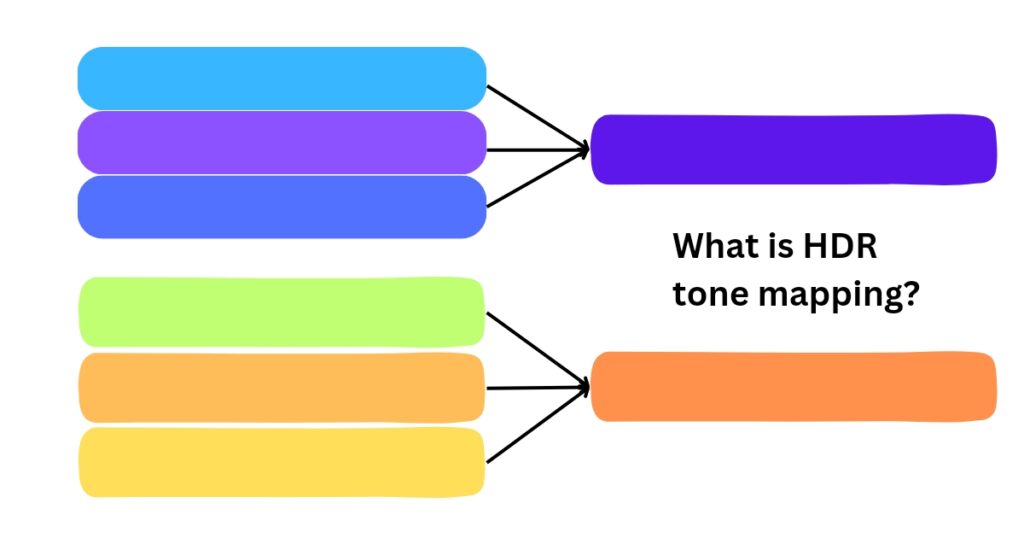
As you can refer from the above figure, each of the colors on the right side represents color present in the HDR content.
However, the TV lacks that exact color shade in its color gamut.
So what the TV does is it gathers some colors from its gamut which appear similar to the required color.
Then, it mixes them in order to replicate the color which is required by in the HDR content but not present in its color gamut.
Sure, by doing this, it may not obtain that exact color shade, however, it is able to produce a very similar color tone.
This is probably the reason why pictures look different on different displays.
Now, you might have understood well how the TV maps color tones.
But, how does it map brightness levels?
Mapping the brightness levels
As per the previous assumption, the peak brightness of your TV is 500 nits.
But, the HDR content which it has to display, has a peak brightness of 2000 nits.
So, to fit the brightness of the HDR content within the brightness range of the TV, the TV performs the brightness tone mapping.
Static vs active (dynamic) HDR tone mapping
Assume that the TV maps the brightness levels in two different ways:
| HDR Content | Method 1 | Method 2 |
| 100 nits | 100 nits | 100 nits |
| 250 nits | 250 nits | 150 nits |
| 400 nits | 270 nits | 200 nits |
| 800 nits | 290 nits | 300 nits |
| 1500 nits | 330 nits | 450 nits |
| 2000 nits | 500 nits | 500 nits |
Static HDR tone mapping
In method 1, the TV displays brightness accurately upto 250 nits.
But after that, it cramps almost all other higher brightness levels within the range of 250-350 nits.
Mostly, the major part of the HDR content falls in 1000-1200 nits of brightness range, assuming that it is mastered at a peak brightness of 2000 nits.
However, the TV displays all those brightness levels at around 300 nits.
As a result, the scenes having 1000 nits, 1200 nits or 1500 nits of brightness are displayed almost equally brightly.
Therefore, it becomes hard to distinguish between less bright, moderately bright and fully bright objects.
For example, in a particular scene with a lamp, a candle and the moon in the sky, all those three objects might be displayed almost equally brightly.
Moreover, the TV is also not able to take the full advantage of its peak brightness.
This is due to the reason that it expects a brightness of 2000 nits in the HDR content to hit its peak brightness, which is 500 nits in this case.
However, that opportunity may come only a few times in the whole movie.
So, this type of tone mapping neither does justice with the picture quality, nor it justifies the premium price you are paying for a TV’s higher brightness abilities.
This method of tone mapping is also known as static HDR tone mapping.
Active or dynamic HDR tone mapping
In method 2, the TV maps all the brightness levels in such a way that the dark tones, mid-tones and bright tones, all are displayed at the optimum brightness.
The difference between scenes having 800 nits, 1200 nits and 1500 nits of brightness is distinctly visible.

Therefore, in a picture as illustrated above, vivid details like the bright sky, shining peaks of the mountains and mildly dark clouds, all appear at perfect brightness (not the exact brightness as the TV can’t achieve those exact brightness levels, thus maps them within its brightness range).
Moreover, as you can refer from the table, the TV displays majority of the HDR content (which is mostly within 1000-1200 nits of brightness range) at around 400-450 nits, near to its peak brightness.
In this way, it makes great use of its brightness abilities and does complete justice with your money.
Method 2 is commonly known as active HDR tone mapping, also known as dynamic HDR tone mapping.
This method further steps up the game by optimizing the content on a scene-by-scene or frame-by-frame basis.
This means that every detail is displayed at the accurate brightness level, as required by the HDR content.
This enables the display of vivid, realistic images with accurate fine details, preserving everything from intense highlights to deep shadow areas.
Advanced HDR formats such as Dolby Vision and HDR10+ make the use of dynamic metadata, executing dynamic tone mapping on a scene-by-scene basis.
This results in images that burst with vibrancy, providing an exceptionally lifelike quality to your viewing experience.
Does every TV need to perform tone mapping?
It would not be entirely accurate to say that a particular TV does not require tone mapping.
Whenever a TV encounters colors in HDR content that it cannot reproduce at the specified brightness level, it needs to perform HDR tone mapping to adapt the image to its capabilities.
That said, a very bright TV with an exceptionally wide color gamut may be able to reproduce virtually all the colors and brightness levels present in HDR content within its color volume.
TVs capable of delivering perfect blacks while simultaneously reaching peak brightness levels of 2,000–4,000 nits, combined with near-complete coverage of the DCI-P3 color space or a substantial coverage of the more futuristic Rec. 2020 color space, can often display colors and luminance levels exactly as intended by the content metadata.
In such cases, little to no tone mapping may be necessary.
Therefore, a TV’s native contrast, color and brightness capabilities are often more important than its support for specific HDR formats when it comes to faithfully reproducing HDR content as envisioned by content creators.
Modern high-performance and highly bright OLED displays such as QD-OLED, Tandem OLED, and MLA WOLED are among the displays that come closest to meeting these requirements.
Likewise, premium mini-LED TVs with VA panels, such as Neo QLED models, that too offer excellent contrast and extremely high peak brightness, can also display the HDR content fantastically.