
What is OLED burn-in, how does it happen & look like?
OLED burn-in usually appears as a faint, persistent ghost image or outline of an element that was repeatedly displayed on the screen.
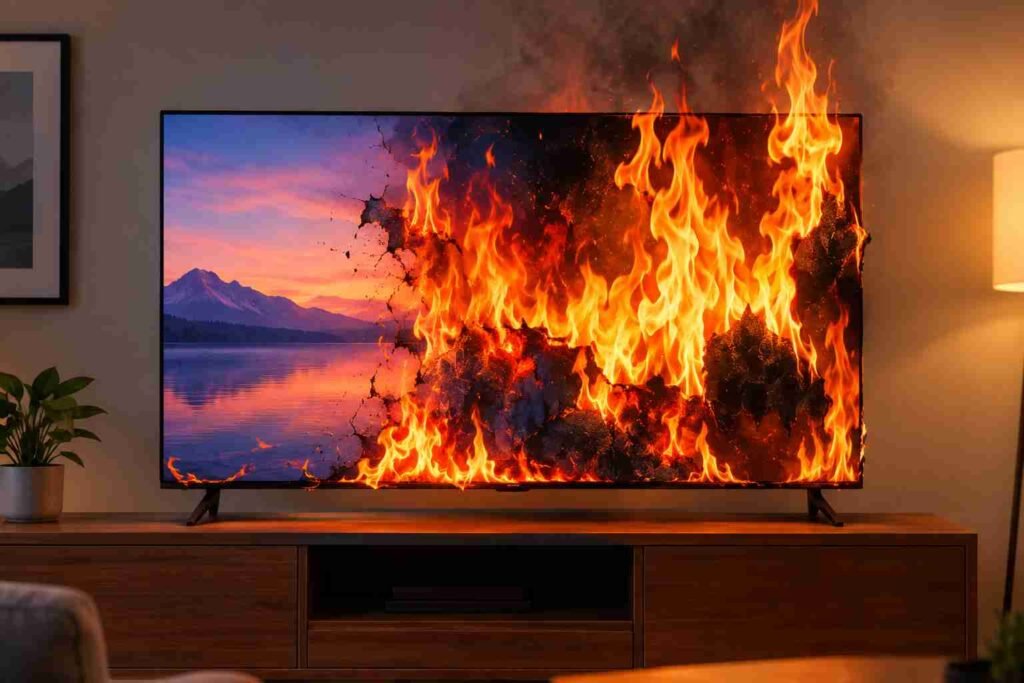
OLED TVs are widely regarded as one of the best display technologies for picture quality.
Unlike LCD TVs like LED and mini-LED, an OLED panel does not need a conventional backlight because its individual pixels produce their own light.
This allows it to turn individual pixels completely off, producing exceptionally deep blacks and extremely high contrast.
But still, OLED technology has one concern that continues to make potential buyers hesitate: burn-in.
You may have heard or experienced that leaving a news channel on an OLED TV for too long can permanently leave its logo on the screen.
Yes, there is truth behind these concerns, but OLED burn-in is also frequently misunderstood.
Burn-in is not something that automatically happens after a certain number of years or hours.
Instead, it is primarily associated with uneven aging of OLED pixels caused by repeated exposure to static elements.
So, what exactly is OLED burn-in, how does it happen, what does it look like, how long does it take to happen and should you still buy an OLED TV despite the risk, let’s answer these queries in detail.
What is OLED TV burn-in?
OLED TV burn-in is a form of permanent image retention in which certain areas of the display become visibly different from the surrounding pixels because they have aged unevenly.
For understanding it clearly, let’s first understand how does an OLED TV work.
Every pixel in an OLED TV is self-emissive, meaning that it produces its own light.
When a scene contains a black object, the corresponding pixels can simply turn off.
As a result, an OLED TV can produce true deep blacks and virtually infinite contrast.
However, its self emissive pixels, which are in fact, organic light-emitting materials, gradually age as they are used.
That said, under normal viewing habits, this aging is generally distributed across the screen.
Suppose, you watch a movie in the evening, a sports event the next day, a streaming series after that and a video game later in the week.
Since the image continuously changes, different pixels are used at different brightness levels and for different colors.
This distributes the load among pixels, and they age evenly.
However, the situation changes drastically when the same bright element remains in exactly the same location for a very long time.
For instance, a TV network logo in the corner of the screen, a permanent news ticker along the bottom, a sports scoreboard or a game’s health bar can repeatedly illuminate the same group of pixels.
Over a prolonged period of time, those pixels can age differently from the surrounding pixels.
When that happens, the previous image can remain visible even after the content has changed.
That is what is commonly called OLED burn-in.
However, it is important to distinguish burn-in from temporary image retention.
Temporary retention can produce a faint after-image that disappears after the TV displays different content or completes a compensation/pixel-refresh cycle.
Permanent burn-in is different because the underlying pixel aging has become sufficiently uneven that the image remains permanently visible.
How does OLED burn-in happen?
The simplest way to understand OLED burn-in is to think about it as uneven pixel wear rather than an image literally being burned into the glass.
We know that every OLED pixel has to produce light to display an image.
Now, when a particular part of the screen repeatedly displays a bright static object, the pixels responsible for that object experiences greater cumulative wear than pixels that are constantly displaying changing content.
Consider a news channel as an example. Most of the TV picture changes continuously as different scenes and graphics appear.
However, the channel logo may remain fixed in the same corner throughout the entire broadcast, while a news ticker may remain fixed along the bottom.
If you watch that channel for a few hours occasionally, this generally isn’t the kind of usage that should automatically result in visible burn-in.
However, it may become a real concern when the same static elements are displayed repeatedly for very long periods over hundreds or thousands of hours.
Many games have fixed interfaces containing health bars, maps, ammunition counters, scoreboards and other information.
If the same game is played for extremely long periods, the pixels displaying those elements may receive disproportionately high use.
Therefore, burn-in can be better understood as time combined with repeated static content, brightness and pixel usage.
This also explains why two OLED TVs that are exactly the same age can have completely different levels of panel wear.
One might have spent thousands of hours displaying constantly changing movies and streaming shows, while another might have been used as a computer monitor or for the same news channel every day.
Just figure out which one will catch the burn-in problem earlier.
What does an OLED TV burn-in look like?
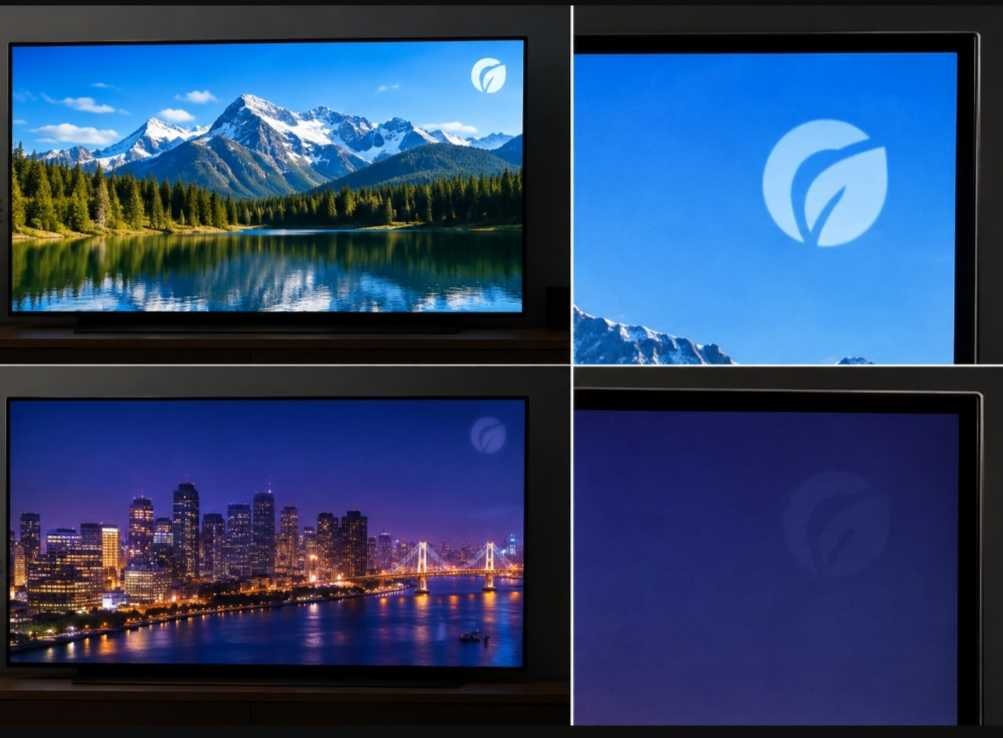
OLED burn-in usually appears as a faint, persistent ghost image or outline of an element that was repeatedly displayed on the screen.
Imagine watching the same TV channel for an extremely long period and then switching to another channel.
If burn-in has developed, you might still faintly see the previous channel’s logo in its original location.
Similar things can be encountered while gaming.
If a fixed health bar has caused uneven pixel aging, the outline of that health bar could remain faintly visible when you move to a completely different game or watch a movie.
How long does it take for OLED to burn in?
There is no universal number of hours after which an OLED TV will develop burn-in.
You may see claims online saying that an OLED will burn in after 5,000 hours, 10,000 hours or another specific figure.
Such statements oversimplify the problem because burn-in depends on how those hours are spent.
Five thousand hours of constantly changing movie and TV content is not equivalent to five thousand hours of the same bright static logo.
A bright static object places a different demand on the panel than a relatively dim object.
The color and characteristics of the pixels involved can also influence how unevenly the panel ages.
According to some research, modern OLED panels can last approximately 30,000–100,000 hours before noticeable burn-in becomes a potential concern.
With average daily use, that can amount to around 8–14 years for a TV or monitor, and proper use of built-in protection features may extend its usable life even further.
That said, there is no reliable burn-in timer inside an OLED TV.
The risk accumulates according to the type of content the panel repeatedly displays.
How can you prevent OLED burn-in?
The most effective way to reduce OLED burn-in is surprisingly simple: avoid repeatedly displaying the same static content for long periods.
You do not need to avoid watching news, sports or games altogether.
Instead, the objective is to avoid turning your OLED into a display that shows the same fixed elements for most of its operating life.
Watching a mixture of movies, TV programs, streaming services and different games naturally changes the content displayed across the panel.
This helps distribute pixel usage rather than continuously stressing the same areas.
A paused game, streaming application, computer desktop or menu can leave the same static image on the screen for an unnecessarily long time.
Therefore, you should also avoid leaving the TV paused for hours.
Modern OLED TVs provide built-in protection.
Samsung’s current OLED TVs, for example, include Panel Care functions such as Pixel Shift, Adjust Logo Brightness and Pixel Refresh on supported models.
Pixel Shift periodically moves the displayed image slightly, while logo-brightness adjustment can reduce the brightness of fixed logos and banners.
These features are designed to work in the background, so enabling them helps to reduce the burn-in risk considerably.
Moreover, you don’t necessarily need to run an OLED at its maximum brightness all the time, particularly in a dark room.
Lowering the brightness to a comfortable level can reduce the amount of light output required from the panel.
Moreover, allow the TV to perform its automatic maintenance procedures.
Avoid switching off the TV at the wall immediately after every viewing session because some OLED models perform compensation or screen-optimization routines while in standby.
Which TVs don’t have the OLED burn-in problem?
If you want a TV that does not use OLED’s self-emissive organic pixels, LCD-based TVs are the obvious alternative.
Traditional LED TVs, QLED TVs, mini-LED TVs, Neo QLED TVs and many QNED TVs use LCD panels illuminated by LED backlights.
Since their image-producing LCD layer does not rely on the same organic self-emissive pixel structure, they do not have OLED’s characteristic burn-in problem.
This does not mean LCD TVs cannot experience any form of image retention or display degradation.
LCDs can develop other problems over time, including temporary image retention and backlight-related degradation.
But they do not suffer from OLED’s characteristic uneven aging of organic self-emissive pixels.
It is also important to remember that QD-OLED is still OLED.
Although QD-OLED uses quantum dots to produce its colors and has several advantages over conventional OLED designs, its pixels are still based on OLED technology.
Should you buy an OLED TV despite the risk of burn-in?
If you primarily watch movies, streaming shows, sports and varied TV content, OLED offers a combination of deep blacks, excellent contrast, wide viewing angles and very fast response that makes it particularly appealing.
The risk is not zero, and it would be inaccurate to claim that modern OLED TVs can never burn in.
At the same time, it would be equally misleading to suggest that every OLED TV will develop burn-in after a few years.
The biggest factor is how the TV is used. A person who watches different movies and shows every evening is exposing the panel to constantly changing images.
A person who watches the same news network for most of the day, plays the same game with a fixed HUD for thousands of hours or uses an OLED as a desktop computer display for long periods is placing the panel under a substantially different type of workload.
So, the most sensible way to view OLED burn-in is neither to dismiss the risk nor to overstate it.
With a few simple usage habits and built-in protective features, the risk can be significantly reduced.
In return, OLED TVs deliver exceptional picture quality that very few other display technologies can match.
Pingback: QNED vs NanoCell: What’s the difference and which should you buy?
Pingback: OLED vs NanoCell: What’s the difference and which is better?