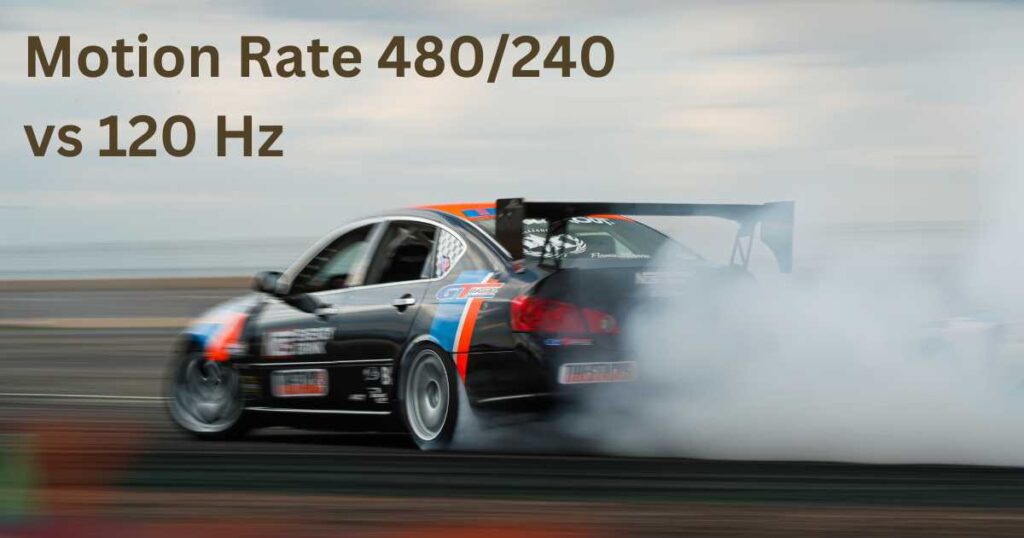
Motion Rate 480/240 vs 120 Hz, Motion Rate 120 vs 60 Hz.
You would’ve probably checked out TV or monitor specs before and seen things like “Motion Rate 240” or “Motion Rate 120” instead of the usual 120 Hz or 60 Hz refresh rates.
So, what’s the real deal?
Are these fancy-looking numbers actually the same as refresh rates, or just marketing tricks brands use to make displays sound smoother than they really are?
Let’s break it down in this article.
Is the motion rate the same as the refresh rate of a TV?
No. Refresh rate is the number of times a TV updates the screen in a second.
So, a TV with a 120 Hz refresh rate refreshes the screen 120 times per second.
The term “motion rate” might sound a bit similar to the refresh rate, but it’s actually a different story altogether.
We’ll dig into that in the next paragraph.
What’s behind motion rate labels like 480 and 240 on TVs?
Brands like Samsung and Hisense often label their TVs with something called “motion rate” instead of just telling you the actual refresh rate.
But here’s the truth. Those motion rate numbers don’t have to do anything with the real refresh rate at all.
You’ll see flashy numbers like 480, 240, or 120 thrown around, but they don’t really mean anything.
It’s mostly marketing to make their TVs look like they have higher refresh rates than they actually do.
No matter what they advertise, the true refresh rate of most TVs is still just 60 Hz or 120 Hz.
Brands throw out big motion rate numbers like 480 or 240 mainly to highlight that their TVs have frame/motion interpolation.
Frame interpolation is basically a video-processing technique where the TV creates extra “in-between” frames that weren’t originally there.
By inserting these artificial frames between two real ones, the TV boosts the apparent frame rate.
It’s a software-based way for the TV’s processor to make the content’s frame rate look closer to the TV’s refresh rate by filling in those missing frames.
Take a 60 Hz TV playing 30 fps content.
The TV can refresh 60 times per second, but the source is only giving it 30 frames in that duration.
So a TV without motion interpolation just shows each frame twice.
That “frame doubling” effect can look weird to some people.
But with motion interpolation, the TV doesn’t simply repeat frames.
Instead, it guesses what the motion between two frames should look like and creates a brand-new frame in between.
This extra frame is completely generated by the TV’s processor, based on how it thinks objects are moving from one frame to the next.
Motion Rate 120 vs 60 Hz
There’s really no solid reasoning behind motion rate numbers like 240 or 120.
They don’t reflect the TV’s actual refresh rate in any way.
These are basically made-up numbers that brands use to make their TVs sound like they have higher refresh rates.
For example, you’ll find lots of budget TVs that are actually 60 Hz, but the brand puts a “Motion Rate 120” label on them.
This can easily mislead buyers into thinking they’re getting a high-refresh-rate TV for a low price.
But when they try playing fast-paced games, they mostly end up seeing blur everywhere, and regret later.
How can you find the real refresh rate behind motion-rate labels?
Some brands, especially Samsung and Hisense, generally multiply the real refresh rate by 2 by 4 respectively, though not always, to create those flashy motion rate numbers.
For example, Samsung often labels its 60 Hz TVs with “Motion Rate 120” and its 120 Hz TVs with “Motion Rate 240.”
This makes it look like the refresh rate is doubled, even though that’s completely untrue.
Hisense does something similar, it labels its 60 Hz TVs with “Motion Rate 120 or even 240,” while its 120 Hz TVs with “Motion Rate 480”.
But at the end of the day, all those TVs still only have either of the two real refresh rates, 60 Hz or 120 Hz.
Choosing the Right TV: Should You Go for 240 or 120 Motion Rate?
So if you see “Motion Rate 120,” it is almost always likely that the TV is actually 60 Hz.
It’s fine for everyday content like regular shows and movies that don’t have a lot of fast action scenes involved.
However, if a TV advertises a high motion rate like 240, it could be running at either 60 Hz or 120 Hz in reality.
That said, if you’re a serious gamer or someone who loves watching fast-moving action scenes at 120 FPS, then a true 120 Hz TV is what you need.
It should sync perfectly with that high frame rate and give you super smooth, almost blur-free motion.
Conclusion
Motion rate numbers like 480, 240, and 120 are basically made-up figures and have nothing to do with a TV’s real refresh rate.
The good news is that the actual refresh rate, shown in Hz is always listed somewhere in the specs.
Brands pump up higher motion rate numbers to make cheaper TVs look like they have high refresh rates.
So a 60 Hz TV often gets labeled as “Motion Rate 120 or 240,” and a 120 Hz TV might be advertised as “Motion Rate 240 or 480”.
That’s why you should never rely on motion rate when choosing a TV.
Always look for the native refresh rate to know what you’re really getting.